Settings pages
Give a plugin a page in the editor's Settings window and keep its values per user, across reloads and restarts.
Add a page
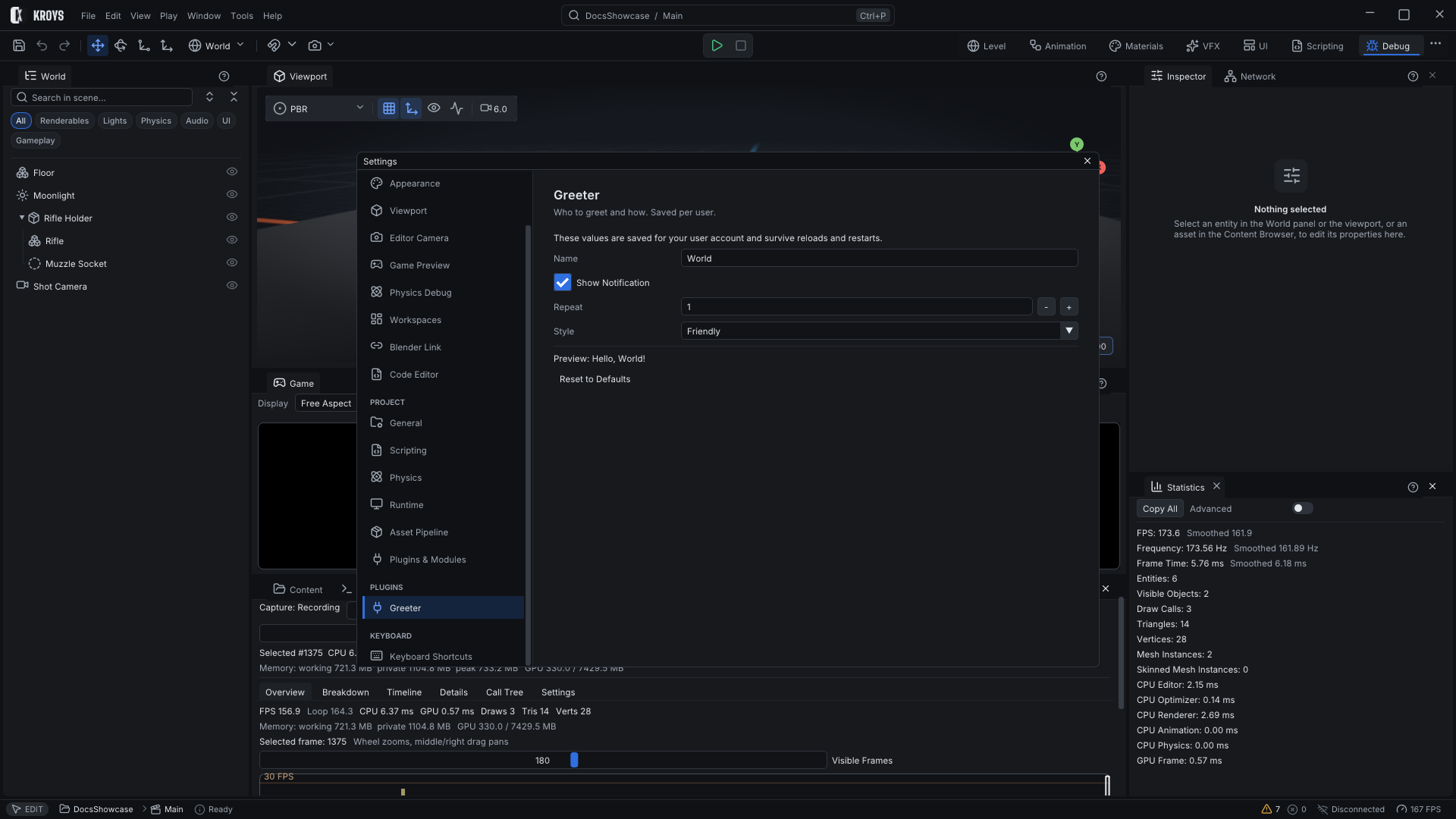
Host.AddSettingsPage(new SettingsPageOptions(id, title), draw) adds a page under Settings › PLUGINS. The page draws with the same controls as a panel; Description and Keywords make it findable in the settings search.
GridSettingsPlugin.cs
public sealed class GridSettingsPlugin : EditorPlugin
{
    private float cellSize = 1.0f;
    private bool snap = true;

    public override void OnLoad()
    {
        // Values are saved per user and survive reloads and restarts.
        cellSize = float.TryParse(Host.GetSetting("cell", "1"), NumberStyles.Float, CultureInfo.InvariantCulture, out float value) ? value : 1.0f;
        snap = Host.GetSetting("snap", "1") == "1";

        Host.AddSettingsPage(new SettingsPageOptions("Grid", "Level Grid")
        {
            Description = "Cell size and snapping of the level grid tools.",
            Keywords = "grid snap cell",
        }, ui =>
        {
            if (ui.SliderFloat("Cell size", ref cellSize, 0.25f, 8.0f))
                Host.SetSetting("cell", cellSize.ToString(CultureInfo.InvariantCulture));
            if (ui.Checkbox("Snap to grid", ref snap))
                Host.SetSetting("snap", snap ? "1" : "0");
        });
    }
}
Keep values
Host.GetSetting(key, fallback) and Host.SetSetting(key, value) store strings per user and per plugin. Read them in OnLoad, write them when a control changes. They survive hot reloads, which reset every field, and editor restarts. Store numbers with the invariant culture so a value written on one machine reads back on another.
Project-wide data that the whole team shares belongs in a file in the project instead, for example an asset of your own type (Importers and asset types).
KroysEngine 0.1.0 documentation, built from the engine repository by Tools/BuildDocsSite.py.