Image tools
Paint and edit textures without leaving the editor, and generate procedural textures and flipbooks from node graphs.
Image Studio
Image Studio edits layered images (.kimg). Open one by double-clicking it in the Content panel, or use New, Open and Import Image in its toolbar. Import Image brings in a PNG or EXR; Export PNG and Export EXR write the current layer or the flattened image.
Every finished stroke or action is one undo step. Images used by materials update when you save.
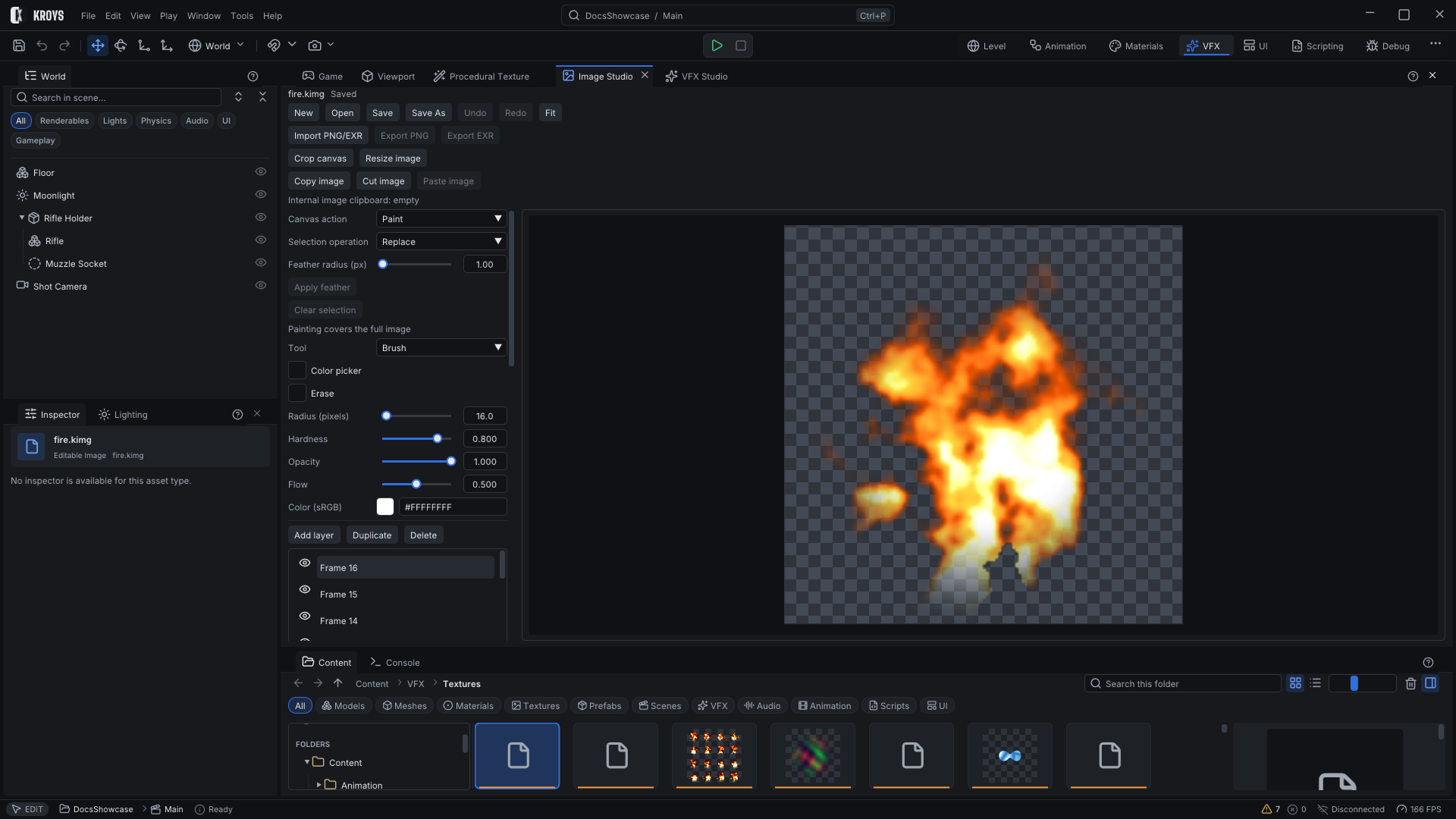
Tools and layers
The column on the left holds the tools: brushes, erase, fill, line, ellipse and gradient, rectangle, ellipse and freeform selections, and colour picking. Below them are the layers with opacity, blend modes (normal, multiply, difference and more), masks and clipping, then adjustments and channels. Crop, resize and transform are in the toolbar.
The canvas
Paint and select on the canvas. The wheel zooms, a middle drag pans, and Esc cancels a drag in progress. Fit in the toolbar shows the whole image again.
Flipbooks
A flipbook (.kflip) is a sequence of frames for animated effects: each layer is a frame, held for as many frames as you set. Image Studio bakes it into an atlas texture, a layout and a material in one step; later bakes keep your edits to the material.
Procedural Texture
Procedural Texture edits node graphs (.kproc) that generate an image: noise, gradients, shapes and the operations between them. Right-click the graph to add nodes, select one to edit its settings, and the preview updates while you work.
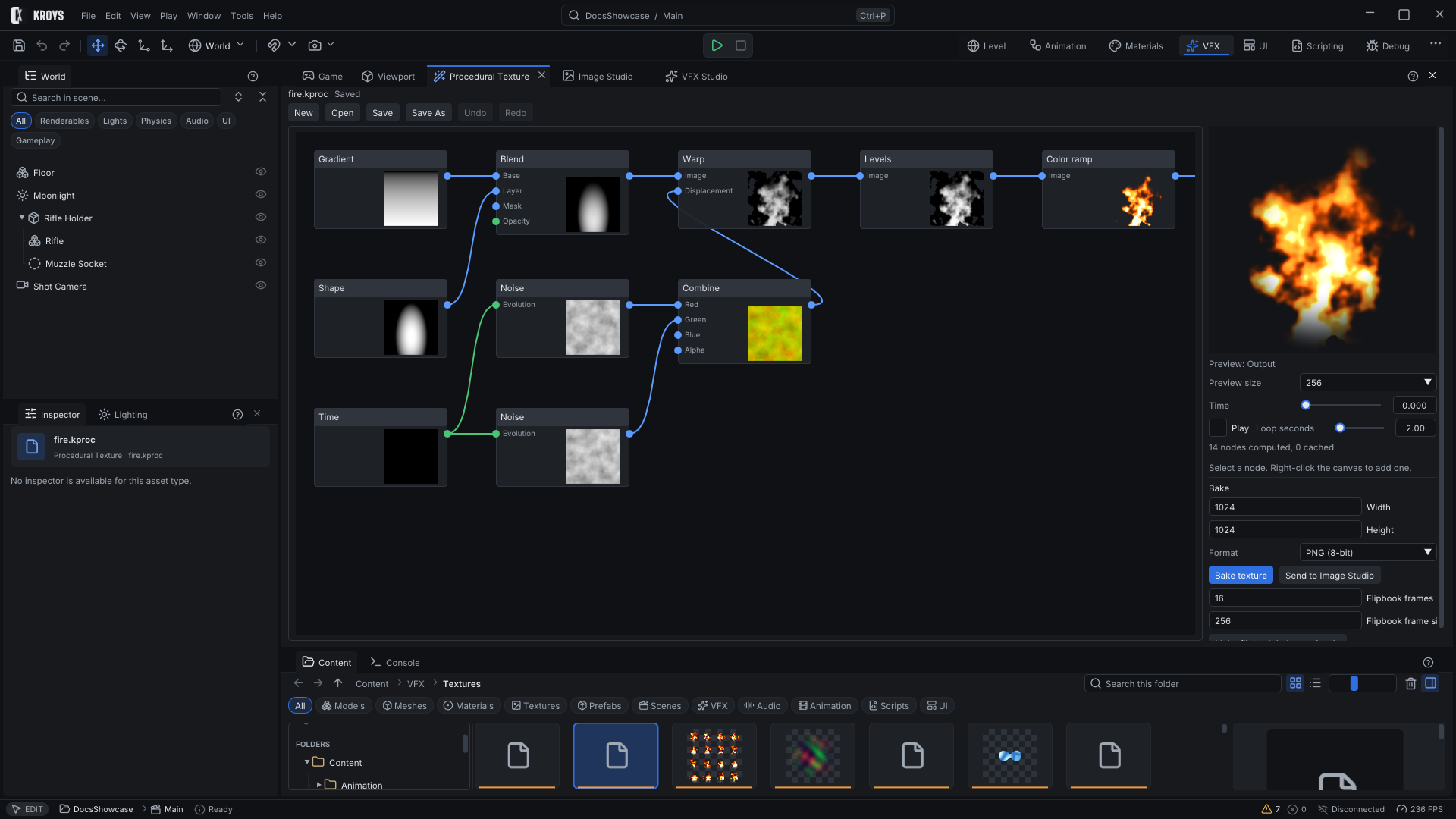
Bake
Bake writes a texture beside the graph at the size and format you choose, ready for materials; baking again updates it. With a loop time set, it bakes flipbook frames. Send to Image Studio opens the result as an image to paint on.
KroysEngine 0.1.0 documentation, built from the engine repository by Tools/BuildDocsSite.py.